


Complete Guide to Remittance to the Philippines: GCash, Cash Pickup, and Bank Deposit
2026.08.24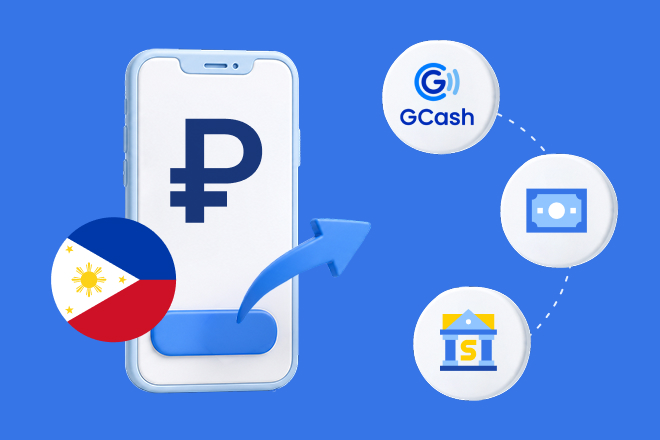
- You can sign up on the app without visiting a bank, as long as you have an ID for identity verification.
- Receiving methods include 3 options: GCash Wallet, Cash Pickup (cash receipt), and Bank Account Deposit.
- Remittances arrive within 3 minutes on average, with zero intermediary or receiving fees.
Remittance to the Philippines: What is required?
To send money to the Philippines, Korean nationals need a National ID card or Driver's License, while foreign nationals need an Alien Registration Card or Passport for identity verification. On the Hanpass app, you can complete non-face-to-face mobile registration using these documents without visiting a bank.
Next, select the recipient's payout method and verify the required details. GCash receiving requires the recipient's registered phone number, while Cash Pickup requires the recipient's ID and pickup number. For Bank Account Deposit, ensure you accurately confirm the recipient's bank account information.
Funds can be topped up via mobile/online banking transfer, ATM, or telebanking. After selecting top-up and receiving methods, enter the amount to check the exchange rate and fee on the app.
3 Receiving Methods: Which one to choose?
You can choose among GCash/Maya mobile wallet, Cash Pickup, or Bank Account Deposit depending on what is most convenient for the recipient in the Philippines. If the recipient already uses GCash, they can receive money using just their registered phone number; if they use bank accounts, funds can be deposited directly into major bank accounts.
For recipients who have difficulty using bank accounts or mobile wallets, Cash Pickup may be ideal. They can present an ID and pickup number at local partner merchants such as currency exchanges, supermarkets, and post offices to receive cash.
| GCash Wallet | GCash remittances are processed through official partnerships, making it crucial to accurately enter the recipient's registered mobile number. If the recipient is accustomed to using mobile wallets, they can receive Pesos without visiting any location. |
|---|---|
| Cash Pickup | The recipient presents an ID and pickup number at a local partner merchant (currency exchange, supermarket, post office, etc.) to receive cash. No bank account is necessary. |
| Bank Account Deposit | Receiving funds into major bank accounts such as BDO and BPI is convenient if the recipient primarily uses bank accounts. |
GCash transfers are made through official partnerships, making it essential to accurately enter the recipient's registered phone number. If the recipient is comfortable using wallets, they can receive Pesos without visiting a branch.
Receiving funds into major bank accounts like BDO and BPI is convenient if the recipient mainly relies on bank accounts. Regardless of the method chosen, arrival times may vary by payout method and local circumstances, so it is recommended to inform the recipient in advance about the chosen method and required info.
Useful Tips When Receiving via GCash
When selecting GCash payout, double-check the mobile number registered to the recipient's GCash account. Even a single incorrect digit can send funds to a different number, so reconfirming the registered number with the recipient before transferring is strongly advised.
Transfers arrive within 3 minutes on average, but delays may occur due to GCash maintenance windows or local circumstances. If the recipient does not see the funds immediately, check for service maintenance and verify the registered number first.
Recipients receive the payout in Philippine Pesos (PHP). Since the exchange rate can be checked in the app at the time of transfer, reviewing the payout amount and rate in advance helps clarify the expected total.
4 Steps for Money Transfer
Remittance to the Philippines on the Hanpass app proceeds in 4 steps: Registration & Identity Verification, Recipient Details, Amount Entry, and Payment & Confirmation. Non-face-to-face mobile registration is available, so you can get started without visiting a bank by preparing a Passport or ARC.
In the Recipient Details step, choose the payout method among GCash, Cash Pickup, or Bank Account Deposit first. Accurately enter the registered phone number, pickup details, or bank account information according to the selected option.
- 1. Install the Hanpass app and register using a Passport or Alien Registration Card (ARC). Identity verification is completed directly within the app without visiting a bank.
- 2. Select the Philippines as the destination country and choose a receiving method.
- 3. Enter recipient information. GCash requires a mobile phone number, while bank deposit requires an account number.
- 4. Enter the amount to view total cost and applicable exchange rate first. After confirmation, funds arrive within 3 minutes on average.
Entering the remittance amount displays the exchange rate and transfer fee in advance. You can top up funds via bank transfer, convenience store payment, or mobile micro-payment, review the displayed details, and complete the transfer.
Hanpass operates on a pre-funding system that bypasses intermediary banks. While the average arrival time is within 3 minutes, actual processing times may vary based on payout methods and local conditions.
Fees and Limits
Remittance fees are pre-displayed in the app upon entering the transfer amount. You can review both the exchange rate and fee before confirming, allowing you to check total costs prior to sending.
Transfers are processed via pre-funding without intermediary banks, incurring zero intermediary or recipient fees. Recipients receive payouts in Philippine Pesos (PHP), with real-time exchange rates displayed on the app screen at the time of transfer.
The limit for transfers without supporting documentation is USD 100,000 per year across all financial institutions (for Korean nationals), based on Foreign Exchange Transactions Regulations effective January 2026. Per-transaction and daily limits should be checked in the app. New sign-ups receive first-transfer exchange rate discounts and 6 free transfer coupons; event terms are subject to change.
Final Checklist Before Transferring
Double-check the recipient's name, registered phone number, or bank account information before finalizing the remittance. Note that GCash requires a registered mobile number, while Cash Pickup requires the recipient to present an ID and pickup number.
Review the exchange rate, fees, and expected payout amount displayed on the app before proceeding. Recipients receive funds in Philippine Pesos (PHP), and actual arrival times may vary depending on the payout option and local circumstances.
Hanpass is a Small-amount Overseas Remittance Business registered with the Ministry of Economy and Finance (Registration No. 2017-11). Supervised by the Financial Supervisory Service, Hanpass operates a 24/7 Fraud Detection System (FDS). If assistance is needed during a transfer, customer support is available in 16 languages from 10:00 to 22:00, including weekends and public holidays.